
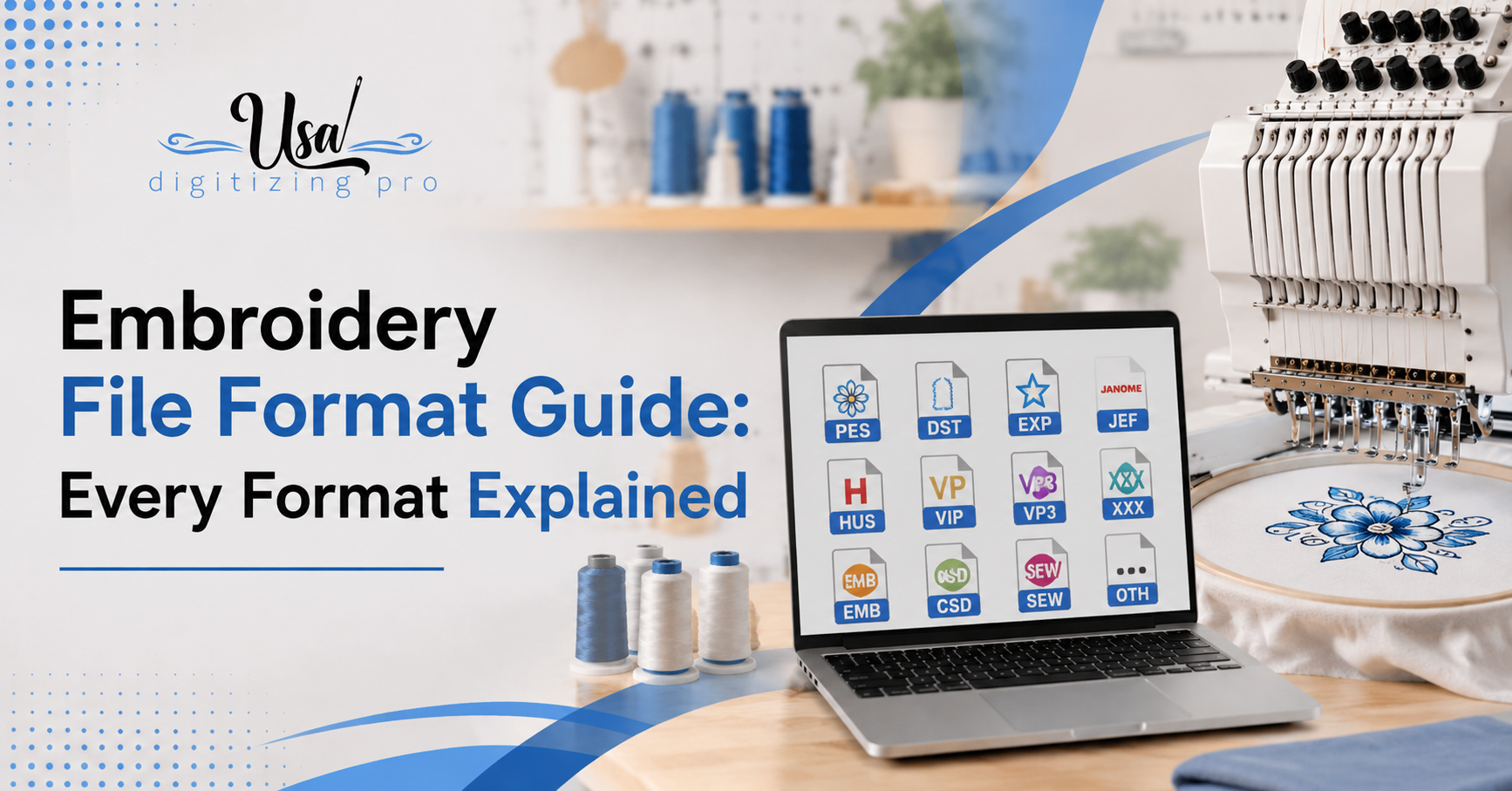
Embroidery File Format Guide: Every Format Explained by Machine Brand
USA Digitizing Pro is a Texas-based embroidery digitizing studio founded in 2015. The team builds machine-ready stitch files across all major formats for apparel decorators, workwear brands, and embroidery shops across the USA.
You download a design or order a digitized file and the machine won’t open it. Or it opens but the colors look wrong. Or a client sends artwork and asks for ‘the embroidery file’ without specifying which one. Embroidery file format confusion stops production runs, wastes time, and costs money. This post cuts through the alphabet soup DST, PES, JEF, VP3, EMB, ART, and the rest — and gives you a clear map of which embroidery file format goes with which machine brand.
USA Digitizing Pro delivers stitch files in any format your machine requires. If you already know what you need, email sales@usadigitizingpro.com with your artwork and machine model. If you’re not sure which format you need, read on this post will answer that question fast. You can also see completed work across formats in the portfolio before ordering.
Quick Answer
The Three Types of Embroidery Files
Before getting into individual formats, it helps to understand why so many formats exist. They fall into three categories that serve different stages of the production process.
Machine Formats (Stitch Files)
Machine formats: the final file type your embroidery machine reads to sew a design. These contain the actual stitch instruction set — needle positions, stitch types, jump commands, trim commands, and color-change stops. Examples include DST, PES, JEF, VP3, EXP, XXX, and HUS. Once a design is exported to a machine format, you can’t meaningfully edit the stitch logic — the file is built for running, not for revising.
Native Formats (Source Files)
Native formats: the editable source files that digitizing software saves in its own proprietary format. EMB is Wilcom’s native format. ART is Bernina’s. CND is Melco’s. These files retain full stitch path logic, layer structure, and color data in a way that lets a digitizer go back and adjust any element. Most clients never see these — they’re the working files on the digitizer’s side. When you order a digitized file professionally, you get a machine format. The native file stays with the studio.
Image Formats (Artwork Input)
Image formats — JPG, PNG, PDF, AI, SVG, EPS — are what you send to a digitizer. They’re not stitch files. They’re the artwork the digitizer uses as a visual reference to build the stitch file from scratch. An embroidery machine cannot read a JPG or PNG directly.
For anyone unclear on how artwork becomes a stitch file, the logo digitizing process walks through every step from raw artwork to production-ready machine format.
DST: The Universal Commercial Standard
DST (Data Stitch Tajima) is the closest thing embroidery has to a universal format. Tajima created it for their commercial multi-head machines and it became the default for production embroidery globally.
What DST contains: X/Y stitch coordinates, jump and trim commands, and color-change stops. What it does not contain: thread color data. When your machine loads a DST file, it has no idea what color each section should be. The operator assigns thread colors manually based on a color reference sheet that should accompany every DST file delivery.
DST files are lean and efficient. A typical logo might generate a DST file under 50KB even with 15,000 stitches. This makes them fast to transfer and reliable across decades of machine models. If you send a file to a production shop and don’t know what format they need, DST is the safest default.
The practical catch: if you load a DST file on a machine and the screen shows strange colors, that’s expected. The colors on screen are the machine’s placeholder display. Thread the machine with the correct colors from your reference sheet and ignore the screen colors.
PES: The Brother and Babylock Format
PES is Brother’s proprietary embroidery format. Brother and Babylock dominate the home and semi-commercial embroidery market in the USA, which makes PES the most common format among small businesses and individual decorators.
PES stores more than DST does. Thread color codes are embedded in the file so the machine screen shows the approximate colors when you load the design. Hoop size information is also included. The machine can warn you if the design is larger than the selected hoop before you start sewing.
PES version compatibility matters. Brother has released multiple PES versions (v1 through v10 and beyond). A file saved in PES v10 may not load on an older machine that only reads up to PES v6. When ordering a digitized file for a Brother machine, tell the digitizer the machine model so the correct PES version is used.
For the specific decisions that go into building a clean PES file for a logo, the how digitizing improves stitch quality post explains what separates a hand-built file from an auto-generated one.
JEF: Janome’s Format
JEF (Janome Embroidery Format) is the native machine format for Janome embroidery machines. It stores stitch data and color information in a way Janome machines read reliably.
JEF has one specific behavior worth knowing: Janome machines check whether the design fits the selected hoop before allowing the file to open. If a design is sized even slightly larger than the hoop setting on the machine, the machine refuses to load the file. This is stricter than most other machine brands. If you receive a JEF file that won’t open, check the design size against your hoop selection before assuming the file is corrupt.
Most digitizing services deliver JEF alongside DST and PES as standard. If you have a Janome and haven’t been specifying JEF in your orders, you can also ask your digitizer to convert an existing DST or PES to JEF — most studios handle this at no extra cost.
VP3 and HUS: Husqvarna Viking and Pfaff
VP3 is the current standard format for Husqvarna Viking and Pfaff machines. It replaced the older VIP and HUS formats and handles color data and stitch commands more efficiently than its predecessors.
HUS is the older Husqvarna format. Many older Viking machines in production use still require HUS files. If you have a Husqvarna machine from more than about 10 years ago, check the manual — it may read HUS rather than VP3. Both formats are available from professional digitizing services.
VP3 stores color information cleanly and handles larger design sizes than HUS. Modern Viking and Pfaff machines that accept VP3 generally won’t have the compatibility issues that older HUS machines sometimes produce with complex designs.
EXP: Melco and Bernina
EXP is used by Melco commercial embroidery machines and some Bernina high-end home machines. Like DST, basic EXP files don’t always store full color data within the file itself — some EXP implementations rely on a secondary companion file to carry color information. Without that companion file, the machine operator sets colors manually.
Melco commercial systems are common in USA production environments alongside Tajima. If your shop runs Melco hardware, you need EXP rather than DST for native compatibility, though many Melco machines also accept DST.
XXX: Singer
XXX is the traditional format for Singer embroidery machines. It stores stitch data and color information for Singer and other machines in the SVP Worldwide group. Modern Singer machines often accept multiple formats including PES, but XXX remains the native format for older Singer models.
Singer machines are less common in production shops than Brother or Tajima systems, but they’re widespread among home embroiderers. If you have a Singer machine and receive files from a digitizing service, request XXX specifically if your machine model predates the broader format compatibility updates Singer introduced in recent years.
EMB and ART: Native Edit Formats
EMB is Wilcom’s native format. ART is Bernina’s. Neither is a machine format — you can’t load an EMB or ART file directly onto an embroidery machine and sew from it. These are the source files digitizers work in.
Why does this matter to you as a buyer? If you ever need to significantly edit a digitized design — resize it by more than about 20 percent, restructure elements, or adapt it for a completely different placement — having the EMB or ART source file makes that process clean. Without the source file, the digitizer has to rebuild from artwork.
Most studios don’t include native source files in standard orders. They’re priced separately if available at all, and some studios retain them as proprietary. If long-term ownership of the editable source file matters for your program, ask about it before ordering.
Converting Between Formats: What You Lose and What Survives
Clients frequently ask whether an existing DST file can be converted to PES, or a PES to JEF. The answer is yes, with caveats most services don’t explain clearly.
Converting between machine formats is possible but not always lossless. DST to PES conversion works mechanically — the stitch coordinates transfer — but because DST carries no color data, the converted PES file has no color information either unless colors are manually assigned during the conversion process. A PES file converted from DST without color assignment will show placeholder colors on the machine screen, defeating the main advantage PES has over DST.
Converting from a richer format (PES with full color data) to a leaner format (DST) loses the color records permanently. The stitch geometry survives. The colors don’t.
The cleanest conversion is always from the native source file (EMB or ART) to whichever machine format you need. Everything else is a workaround. When you order a digitized file and later need a different format, the best outcome comes from asking the original digitizer to re-export from their source file rather than converting the machine format you already have.
USA Digitizing Pro delivers files in any format from the same source build. If you ordered DST and later need PES or JEF, contact the team at sales@usadigitizingpro.com — format additions are handled quickly and usually at no extra cost. For more on how the digitizing and conversion process works across formats, how digitizing affects embroidery machine performance covers the production-level implications.
What to Tell Your Digitizer When Ordering a File
Most file format problems start at the order stage, not the machine stage. Telling a digitizer ‘I need an embroidery file’ produces a DST by default at most studios. That’s fine for commercial machines but wrong for a home Brother or Janome user.
Here is what to include in every digitizing order so you get the right format the first time:
- Machine brand and model number (e.g. Brother PE800, Janome MC500E, Tajima TMEZ).
- If you don’t know the model, the brand alone is enough for most cases: Brother = PES, Janome = JEF, Tajima = DST, Viking = VP3.
- Whether you need multiple formats from the same design. Running the same logo on a commercial Tajima shop and a home Brother machine requires both DST and PES. Request both upfront.
- The PES version if you know it. Older Brother machines need lower version numbers.
- Whether you need a color reference sheet alongside the DST file. Essential for any format that doesn’t store color data.
USA Digitizing Pro handles multi-format orders from a single artwork submission. Send the logo, the machine details, and the format list to sales@usadigitizingpro.com. The team is reachable at +1(830)-321-7832 and the studio is at 23531 Baker Hill Drive, Richmond, Texas 77469. For the full range of stitch file services across placement types, the services page covers everything available.
Real Production Scenario
A San Diego promotional merchandise company ran two embroidery systems: a four-head Tajima commercial machine for large production runs and a Brother PE800 for short-run custom work. They ordered digitized logo files from a previous service and received DST only. The DST ran fine on the Tajima. On the Brother it loaded but showed wrong colors on screen and required manual thread assignment every run.
They switched to USA Digitizing Pro and requested both DST and PES v6 from every new artwork submission. The DST ran the Tajima as before. The PES v6 loaded on the PE800 with correct colors showing on screen and hoop size pre-confirmed. Operator time per setup dropped on the Brother side because color assignment was no longer a manual step.
Same logo. Same stitch data. Two formats built from the same source file. That’s the correct approach for a shop running mixed machine brands.
How to Find Your Machine’s Required Format
If you’re not sure what format your machine needs, here is the fastest path to the answer:
- Check the machine manual. The compatible file formats are listed in the specifications section. Every embroidery machine manual lists this.
- Look at the machine’s USB or card slot label. Some machines print the accepted formats on the panel near the media slot.
- Search ‘[your machine brand and model] embroidery file format’ online. The manufacturer’s support page will confirm it.
- Tell the digitizer your machine brand and model and let them determine the format. Any experienced digitizer knows which format goes with which hardware.
Order Your File in the Right Format
Every embroidery machine speaks a specific format language. Getting it wrong means the file won’t load, colors won’t display correctly, or production stalls while you track down a conversion. USA Digitizing Pro delivers embroidery file format outputs in DST, PES, JEF, VP3, EXP, HUS, XXX, EMB, and others — all built from the same hand-digitized source. Starting at $15 for designs under 5 inches with a 2 to 4 hour turnaround. Email sales@usadigitizingpro.com with your artwork, machine model, and required formats. Call +1(830)-321-7832 for immediate assistance.
FAQs
DST is the most widely used embroidery file format in production environments. Tajima created it and it became the commercial standard because nearly every commercial embroidery machine can read it. For home and small-business machines, PES (Brother format) is the most common in the USA because Brother and Babylock machines dominate that segment. If you’re sending a file to a production shop and don’t know their machine brand, DST is the safest choice.
You’re almost certainly loading a DST file. DST format doesn’t store thread color data. The machine assigns placeholder colors automatically when it loads the file, which almost never match the design colors. You need a color reference sheet from your digitizer that lists the correct thread color for each color stop in the file. If you have a Brother machine and want colors to display correctly on screen, request PES format instead — PES stores color codes that Brother machines read and display accurately.
Yes. Software like Wilcom TrueSizer (free version available) and Embrilliance can convert between machine embroidery formats. The mechanical stitch data transfers cleanly. The limitation is color: DST has no color data to transfer to PES, so the converted file will have no assigned colors. You’ll need to manually assign thread colors in the software after conversion. For a clean PES file with full color data, re-exporting from the original source EMB file is the better approach.
Most commercial multi-head embroidery machines use DST as their primary format. Tajima, Barudan, ZSK, and SWF commercial machines all accept DST as standard. Melco commercial machines use EXP as their native format but typically also accept DST. If you’re sending files to a commercial embroidery shop, ask the shop operator which format their machines prefer — some production environments standardize on DST exclusively, others accept both.
A machine format (DST, PES, JEF, VP3) is the final export file your embroidery machine reads to sew a design. It contains stitch instructions but can’t be meaningfully edited once exported. A native format (EMB for Wilcom, ART for Bernina, CND for Melco) is the editable source file the digitizing software saves. It retains full stitch path logic and lets the digitizer make changes. Native formats can’t be loaded onto a machine — they must be exported to a machine format first.
Yes. A single artwork submission can produce stitch files in DST, PES, JEF, VP3, EXP, HUS, XXX, and other formats from the same source digitizing. Specify the formats needed when placing the order. Shops running multiple machine brands benefit most from this — one logo file delivered in every format the shop’s machines require, built from a single hand-digitized source. Contact sales@usadigitizingpro.com with your format list and machine details.

RELATED BLOGS

How to Stop Embroidery From Bunching: 7 Causes.
Published August 17, 2026 | By USA Digitizing Pro Team Fabric gathering up around a finished design is the most common complaint.
Hat Machine Embroidery Services: What Drives the Price.
Published September 21, 2026 | By USA Digitizing Pro Team Quotes from hat machine embroidery services look inconsistent until you understand what.
9 COMMENTS
[…] Embroidery File Format Guide: Every Format Explained on Logo Digitizing Process: A 2026 Step By Step Walkthrough […]
[…] during the audit get assigned to the nearest single thread rather than approximated with blending. the file format guide covers delivering the finished file in the format your machine […]
[…] file and the same colour references, which means keeping both somewhere the business controls. the file format guide covers what you should be […]
[…] converts it, and conversions are not always clean. State the format you need at the quote stage. the file format guide covers which format matches which […]
[…] the stitch file is all you were given, you do not currently have usable artwork for anything else. what to keep after a digitizing order covers the file set worth […]
[…] does not have the real estate to show them. Reducing to a clean palette up front also makes the machine file formats behave predictably when the file moves between a digitizer and a production […]
[…] about this design at this size on this material. The containers it travels in are covered in machine file formats, and what separates a well-built one from a poor one is laid out in our notes on what good stitch […]
[…] should be able to find that in writing before you order. If you cannot, ask. The same applies to machine file formats, because owning a design is less useful if you only receive one proprietary format you cannot open […]
[…] decisions made while building the file. Which means the file format is not the variable, and the machine file formats you receive tell you nothing at all about […]
Comments are closed.