5 Ways to Digitize Images for Embroidery, Compared 2026

Published August 17, 2026 | By USA Digitizing Pro Team
There are five realistic routes from an image on your screen to a file your embroidery machine can stitch and they differ enormously in cost, effort and how the finished garment looks. Most people searching for ways to digitize images for embroidery aren’t looking for a tutorial. They’re deciding whether to buy software, try a free tool or pay someone. This compares all five honestly, including where the cheap options genuinely work and where they waste more in ruined garments than they save.
Quick Answer at a Glance
| Question | Answer |
|---|---|
| What are the five routes? | Auto digitizing software, free open source tools, online converters, manual DIY or a professional service |
| Which is cheapest? | Free tools like Ink Stitch, though they demand real time and a learning curve |
| Which gives the best result? | Manual digitizing, whether done by you or by a service |
| Do free online converters work? | Rarely well and they carry file quality and security risks |
| What image works best for automatic conversion? | Flat, high contrast artwork with clean edges and few colors |
| What image needs manual work? | Photos, gradients, fine detail and any small text |
| What does a service cost? | Commonly in the $10 to $20 range for simple work, starting at $15 here |
Start With the Image You Actually Have
The right route depends far more on your source image than on your budget. Automatic conversion works on some images and fails predictably on others, so identifying which category yours falls into narrows the choice immediately.
Flat Logos and Clean Graphics
Solid shapes, hard edges and a handful of distinct colors are the ideal case. Software can trace these boundaries reliably because there’s little ambiguity about where one color area ends and the next begins. If your image is a flat two or three color logo, the automatic routes become genuinely viable rather than just cheap.
Photographs and Detailed Images
Photos carry continuous tone, soft edges and thousands of color values, none of which translate directly into thread. Converting a photo means deciding what to simplify and what to keep, which is a judgment call rather than a calculation. Automatic tools make those decisions badly because they don’t know which details carry the meaning.
Designs With Small Text
Small lettering is where automatic conversion fails most visibly. Software routinely fills in the open counters of letters like a, e and o or merges adjacent characters, producing text that stitches out as an unreadable smudge. Any design with text below roughly a quarter inch tall needs a human setting the stitch types. the common digitizing mistakes rundown covers what this looks like in practice.
The Five Routes to a Stitch File
Each route below includes what it actually costs, what it demands from you and the kind of image it suits. Read them against the image category you identified above rather than in isolation.
Route 1: Auto Digitizing Inside Embroidery Software
Commercial embroidery software includes automatic conversion features that turn an uploaded image into a stitch file with adjustable parameters. This is the fastest self serve option if you already own the software. The catch is that the software costs several hundred to several thousand dollars, so it only makes sense if you digitize regularly. Output quality is acceptable on clean flat artwork and poor on anything detailed. the digitizing software comparison covers which packages handle automatic conversion best.
Route 2: Free Open Source Tools
Ink Stitch is a free plug in for Inkscape, the open source vector drawing program and it exports to DST, PES, JEF, EXP and VP3, covering most commercial and home machines. Embroidermodder is another free option with a simpler interface. These are legitimate tools rather than gimmicks, but they require you to work in vector first and to learn the plug in’s approach to stitch settings. The money cost is zero and the time cost is real.
Route 3: Online Image to Embroidery Converters
Browser based converters promise to turn a JPG or PNG into a machine file in a few clicks with no installation. Some legitimate options exist, including manufacturer backed tools with free accounts. The broader category is unreliable, though and the next section covers why in detail. As a rule, converters attached to a known embroidery software company are worth trying, while anonymous ones are not.
Route 4: Digitizing It Yourself Manually
Manual digitizing means placing stitch types, directions, densities and underlay deliberately rather than letting software guess. Done in proper digitizing software, it produces the best possible result because every decision is intentional. It also has the steepest learning curve of any route here and a first attempt on a real garment usually costs a garment. This route pays off for people who will digitize regularly enough to build the skill.
Route 5: Hiring a Digitizing Service
A service digitizes the file manually and returns it in the machine format you specify, commonly within hours. Simple designs typically run in the $10 to $20 range across US providers, which is less than a single ruined garment on most programs. This route makes sense when you need one good file rather than a new skill or when the design has photos, fine detail or small text that the automatic routes will mishandle. the step by step digitizing process covers what a service actually does with your artwork.
Comparing the Five Routes
Set side by side, the tradeoffs become clearer. Cost, time investment and output quality rarely move together and the right pick depends on which of the three matters most for your situation.
| Route | Cost | Time and Skill Needed | Best For |
|---|---|---|---|
| Auto digitizing software | High upfront software purchase | Low per file once owned | Regular users with flat, clean artwork |
| Free open source tools | Free | High, vector skills plus learning curve | Hobbyists with time and simple designs |
| Online converters | Free or low | Very low | Quick tests only, rarely production |
| Manual DIY | Software cost plus practice garments | Highest | Anyone building digitizing as a skill |
| Professional service | Commonly $10 to $20 simple work | None | One off files, detail, small text, deadlines |
Why Free Converters Disappoint More Often Than They Deliver
This is the route people try first and abandon fastest and it’s worth understanding why before spending an afternoon on it. Two separate problems undermine the category.
The File Quality Problem
A converter reads pixel colors and generates stitches from them with no understanding of fabric, garment or how thread behaves. The output typically carries no proper underlay, generic density applied uniformly and no pull compensation, which means the design distorts as the fabric draws in. Files like these often stitch out stiff, puckered and full of thread breaks even when the preview looked correct. how build quality shows in the finished stitch covers the visible markers that expose this.
The Trust Problem
Beyond quality, many anonymous online converters are unreliable in a plainer sense: uploading your artwork to an unknown service carries real risk and the sites themselves are frequently ad heavy and short lived. Sticking to established open source software or a manufacturer backed tool avoids this entirely while giving better output anyway.
Preparing Your Image Before Any Route
Whichever route you pick, the source image sets a ceiling on the result. Ten minutes of preparation improves the output of automatic tools substantially and reduces what a service has to charge for.
Resolution and File Type
Use 300 DPI or higher for raster images like JPG and PNG or supply vector artwork such as SVG, AI or EPS where possible. Vector holds crisp edges at any scale, which is why it’s the preferred starting point for both automatic tracing and manual work. If you only have a low resolution logo, converting it to clean vector paths first is worth doing before digitizing rather than after.
Contrast and Simplification
High contrast between color areas, clean edges and a reduced color count all help every route. Flattening gradients into solid blocks, removing background clutter and thickening any hairline elements takes an image from difficult to workable. This is especially worth doing before running anything through automatic conversion, which has no ability to make those calls itself.
Matching the Route to Your Project
Working through the decision in order avoids the common mistake of choosing by price and discovering the quality gap after the garments are printed.
Decision Checklist
- Classify your image as flat artwork, photographic or containing small text.
- If it has photos, gradients or small text, rule out the automatic routes now.
- Decide whether you need one file or an ongoing capability, since that alone separates service from software.
- Check what machine format you need, since not every free tool exports every format.
- Prepare the source image to 300 DPI or vector before starting.
- Test any self produced file on scrap fabric before committing a real garment.
A Real Order, Broken Down
A Texas craft business ran their logo through a free online converter for a small run of tote bags. The preview looked right, but the stitch out pulled the fabric visibly, the tagline text merged into a solid line and thread broke four times in the first bag. They had spent nothing on the file and lost three bags proving it did not work. The same logo digitized manually stitched cleanly at a fraction of what the wasted blanks had cost. The design was flat and simple enough that the free route should have been viable, but the small tagline text was the element that no automatic tool was going to handle. the file format guide covers matching the output format to your specific machine.
Who Builds These Files
USA Digitizing Pro hand digitizes every file from its Texas studio, setting stitch types, density, underlay and pull compensation for the specific garment rather than running artwork through automatic conversion. Pricing starts at $15 for designs under 5 inches, with a 2 to 4 hour turnaround and a money back quality guarantee. Service details are on the logo embroidery digitizing page.
Frequently Asked Questions
Hiring a digitizing service is the easiest, since it needs no software, no skill and typically returns a finished file within hours. Among self serve options, automatic conversion in commercial embroidery software is fastest if you already own it.
Yes, through open source software like Ink Stitch, which works as a plug in for Inkscape and exports to DST, PES, JEF, EXP and VP3. It costs nothing but requires working in vector and learning the tool.
Generally no for production work. They apply generic settings with no underlay or pull compensation, so files often stitch out stiff and puckered and anonymous converter sites carry their own reliability concerns.
Flat, high contrast artwork with clean edges and few colors. Logos and simple graphics work well, while photographs, gradients and fuzzy edges all need significant manual work.
Yes, though it requires simplifying continuous tone into a limited set of thread colors, which is a judgment call. Automatic tools handle this poorly, so photo work generally needs manual digitizing.
At least 300 DPI for JPG or PNG files or supply vector artwork like SVG, AI or EPS, which holds crisp edges at any size and is the preferred starting point.
Simple designs commonly fall in the $10 to $20 range across US providers. Pricing here starts at $15 for designs under 5 inches, with larger or more complex work quoted individually.
For flat, clean, low detail artwork it can be acceptable. For anything with small text, fine lines or photographic content it produces visible defects that a manual file would not.
It depends on the brand. DST, PES, JEF, EXP and VP3 cover most machines and any competent tool or service will output the format you specify.
Automatic conversion takes minutes. Manual digitizing by a service commonly turns around within hours, with a standard 2 to 4 hour turnaround here.
Picking the Route That Fits the Job
Ways to digitize images for embroidery come down to five routes and one honest question: is your image flat and simple or does it have photos, gradients or small text. Flat and simple opens up the free and automatic options genuinely. Anything else means manual work, whether you learn it yourself or buy it. The expensive mistake is not choosing the wrong route, it’s discovering the mismatch after the garments are already ruined.
Follow Us

RELATED BLOGS
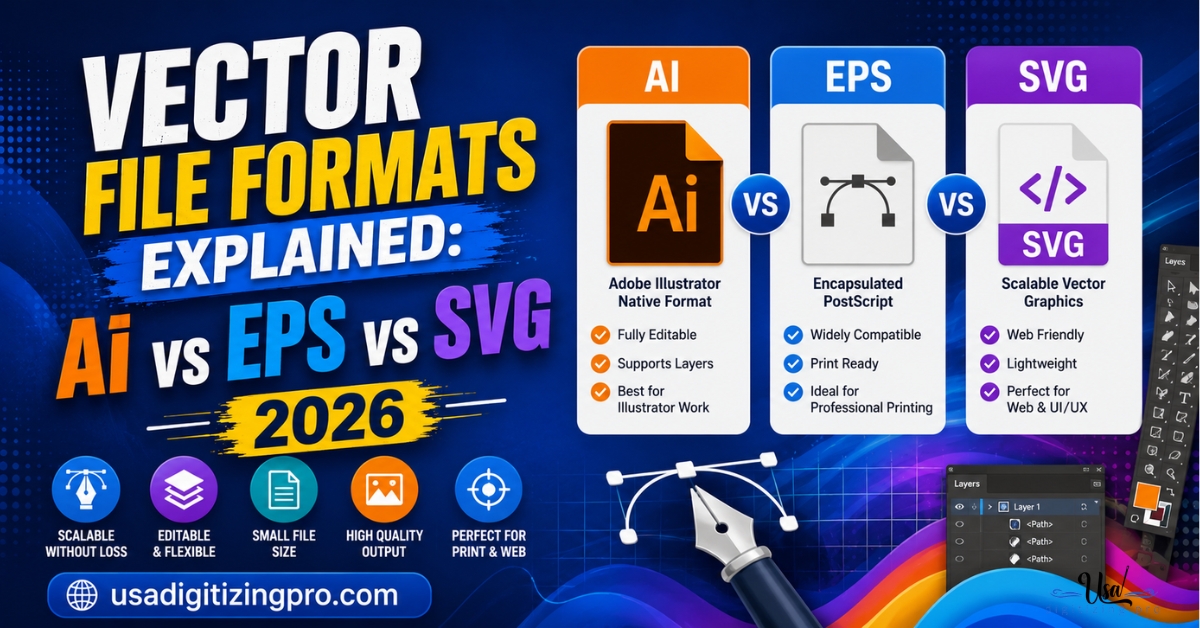
Vector File Formats Explained: AI vs EPS vs.
Ask a printer or sign shop for artwork and they'll often name a specific format instead of just saying vector file. Vector.

Applique Digitizing Stitch Count Reduction: Techniques That Work.
Published August 17, 2026 | By USA Digitizing Pro Team Switching a large design from full embroidery to applique cuts stitch count.