

The Evolution of Embroidery Design and Why It Still Matters 2026
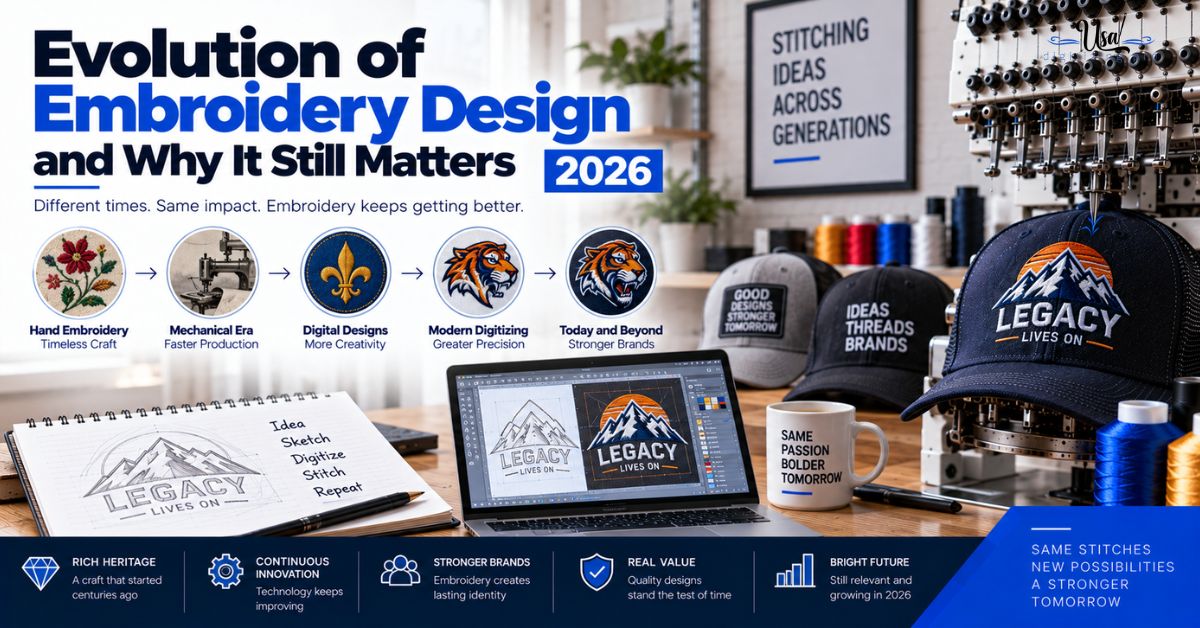
Published September 21, 2026 | By USA Digitizing Pro Team
Ask why embroidery files are called punched, why the format your machine reads is different from your neighbor’s, or why quotes still hinge on stitch count, and the answers all live in the same place. The evolution of embroidery design is not decorative background. It is the reason the industry uses the vocabulary it does, the reason file formats fragmented, and the reason production is still priced the way it was when designs were stored on paper.
Quick Answer at a Glance
| Question | Answer |
|---|---|
| When did automated machine embroidery begin? | 1898, when a punch card reader replaced the pantograph operator |
| Where did the punch card idea come from? | The Jacquard loom, which used the same principle |
| Why are digitizers called punchers? | Converting a design into punch cards was called punching |
| Where does the word digitizing come from? | Transferring embroidery data from tape onto computers |
| Why are there so many file formats? | Machine makers developed storage independently before conversion existed |
| Why does stitch count drive pricing? | It has always been machine time, and still is |
| What does digitizing cost today? | Starting at $15 for designs under 5 inches |
The Timeline
Five stages cover the path from mechanical control to the file sitting on your USB drive. Each one left something behind that the industry still uses.
| Era | Storage Method | What It Left Behind |
|---|---|---|
| From 1898 | Punch cards | The term punching for design conversion |
| 1970s and 1980s | Punched paper tape | Sequential stitch data structure |
| 1980s into the 1990s | Floppy disks | The word digitizing itself |
| 1990s | Design cards, then writable cards | Format fragmentation and conversion tools |
| Present | USB drives and direct connection | Everything above, still running underneath |
Punch Cards and the Word Punching
The first real automation in embroidery arrived at the end of the nineteenth century, and it set the vocabulary the trade still uses over a century later.
The 1898 Automated Machine
In 1898, Joseph Arnold Grobli developed a fully automated embroidery machine that replaced the pantograph and its operator with a punch card reader. Before that, a person traced a design while the machine mirrored the movement. After it, the card told the machine where to go. That shift, from a human guiding each stitch to a stored instruction set driving the machine, is the origin of everything that followed.
Borrowed From the Jacquard Loom
The punch card concept was not invented for embroidery. It came from the Jacquard loom, which used the same principle to control weaving patterns. The card recorded the end points of each stitch along with other machine functions, which is a remarkably direct ancestor of what a modern stitch file does.
What It Still Explains
Converting a design into punch cards was called punching, and the term never went away. Plenty of people in the trade still refer to a punched file or call a digitizer a puncher. If you have heard either and wondered where it came from, that is the answer. what a digitizer actually does today covers the modern version of the same job.
Paper Tape and the Player Piano Era
Through the 1970s and 1980s, punched paper tape carried design data, and the way it worked shaped how stitch files are still structured.
How Tape Worked
Design data was held as holes punched in a continuous paper tape and fed into the machine. While a design was being punched, a tape could record the action as its own series of holes, and that tape could then be played back into the machine to produce more of the same piece. The comparison drawn at the time was to a player piano, which is exactly right.
What It Still Explains
Tape is sequential by nature, and so is a stitch file. The machine works through instructions in order, one after another, which is why stitch order and pathing matter so much and why a file cannot simply be told to stitch everything at once. The linear structure your digitizer plans around is inherited directly from a physical strip of paper. why stitch order matters covers the sequencing that structure demands.
Where the Word Digitizing Came From
This is the piece most people in the industry do not know, and it explains a term used thousands of times a day in the trade.
Tape to Floppy Disk
When computers arrived, the first job they were given was recording existing tapes onto digital media such as floppy disks. That process, transferring embroidery data from tape to computer, was what the word digitizing originally described. It meant converting to digital, quite literally. An operator would still punch the design using the old techniques, then transfer the result to a one inch paper tape or, later, to a floppy disk.
What It Still Explains
The word outlived its original meaning entirely. Nothing is being converted from tape anymore, and digitizing now describes building a stitch file from artwork on a computer from scratch. It is a fossil term, still in daily use, describing a process it no longer accurately names. That is worth knowing when a client asks what digitizing means, because the literal answer no longer matches the work.
Design Cards and the Format Problem
The 1990s brought solid state storage and, with it, the fragmentation that still makes format confirmation a necessary step on every order.
Solid State Storage Arrives
Design cards appeared first, similar in concept to early digital camera cards and supplied pre-loaded with designs. Writable cards followed, which allowed designs to move between machines, and it was at this point that format conversion became a real requirement rather than a curiosity. Different manufacturers had developed their storage and encoding independently, so the same design needed to exist in several incompatible forms.
What It Still Explains
This is why your machine reads one format and someone else’s reads another, why conversion tools exist as a product category, and why every competent digitizing order starts by confirming which format you need. The fragmentation was never resolved, it was worked around, and the workaround is now standard practice. the file format guide covers which format matches which machine.
USB and the Present Day
USB wired machines came next, and USB flash drives became normal as machines began accepting them. It is worth being precise about what that changed and what it did not.
What Actually Changed
Storage capacity, transfer speed, and convenience. A drive holding hundreds of designs replaced a card holding a handful, and moving a file takes seconds rather than involving physical media specific to one manufacturer. Design software also became capable of things punching could never do, including automatic conversion, live previews, and precise editing of individual stitches.
What Did Not Change
The underlying model is identical. A stored instruction set tells a machine where to place each stitch, in order, and the machine executes it without judgment. Stitch count is still machine time. Color changes are still stops. Sequence still matters. Every constraint that shaped pricing and production in the tape era is still shaping it now, because none of them came from the storage medium. how stitch count drives production cost covers how those constraints appear on a modern invoice.
What the History Means for Your Order
None of this is trivia if it changes what you ask for. Four things follow directly from the history above.
Practical Takeaways
- Confirm your machine format on every order, because fragmentation from the card era was never fixed.
- Expect stitch count to drive your quote, since it has meant machine time since 1898.
- Understand that punching and digitizing mean the same thing when a supplier uses either.
- Remember that color changes are machine stops, which is why color count affects per-piece cost.
- Keep your own files, since format conversion is easier than rebuilding from nothing.
- Treat sequence as a real design decision, because the machine still works strictly in order.
A Real Order, Broken Down
A Texas embroidery shop inherited a design library from a business that closed, arriving on a mix of old floppy disks and design cards. Some files converted cleanly to formats their current machines read. Others were in encodings that no longer had a straightforward conversion path, and a few designs had to be rebuilt from scratch from the original printed artwork. The shop’s own working files were on a single USB drive with no backup. That is the entire history of the industry compressed into one storeroom, and the lesson from it is the same one the card era taught: hold your designs in a current format, and hold them somewhere that survives the hardware. what to keep after a digitizing order covers the file set worth retaining.
Who Builds These Files
USA Digitizing Pro has built stitch files from its Texas studio since 2015, delivering in whichever machine format your equipment reads. Pricing starts at $15 for designs under 5 inches, with a 2 to 4 hour turnaround and a money-back quality guarantee. Service details are on the logo embroidery digitizing page.
Frequently Asked Questions
In 1898, when Joseph Arnold Grobli developed a fully automated machine that replaced the pantograph and its operator with a punch card reader, so stored instructions drove the machine rather than a person tracing the design.
Because converting a design into punch cards was called punching, and the term stayed in use long after the cards disappeared. Some people in the trade still say punched file or puncher.
It originally described transferring embroidery data from paper tape onto computers, meaning converting it to digital. The word outlived that process and now describes building a stitch file from artwork.
The end points of each stitch along with other machine functions. The concept was borrowed from the Jacquard loom, which used the same principle to control weaving patterns.
Design data was held as punched holes in a continuous tape fed into the machine. A tape could also record a design as it was punched, then be played back to produce more pieces, much like a player piano.
Manufacturers developed storage and encoding independently during the design card era, so the same design had to exist in several incompatible forms. The fragmentation was worked around with conversion rather than resolved.
Because stitch count has always meant machine time, and that has not changed with any storage medium. More stitches means longer runtime on every garment in the order.
Capacity, speed, and convenience, along with far more capable design software. The underlying model of a stored instruction set driving a machine in strict order stayed exactly the same.
Sometimes. Many convert cleanly to current formats, though some older encodings no longer have a straightforward conversion path and the design has to be rebuilt from the original artwork.
Old Constraints, Current Invoices
The evolution of embroidery design looks like a story about storage media, and it is really a story about one idea that never changed. A stored set of instructions drives a machine, in order, without judgment. Punch cards did it, paper tape did it, floppies and cards did it, and a USB drive does it now. Every constraint that follows from that model, stitch count as time, color changes as stops, sequence as a design decision, is still on your invoice today.
Follow Us

RELATED BLOGS
Custom Embroidery Digitizing Services for Individual Designs: The.
Published October 16, 2026 | By USA Digitizing Pro Team Custom embroidery digitizing services for individual designs are priced the same way.
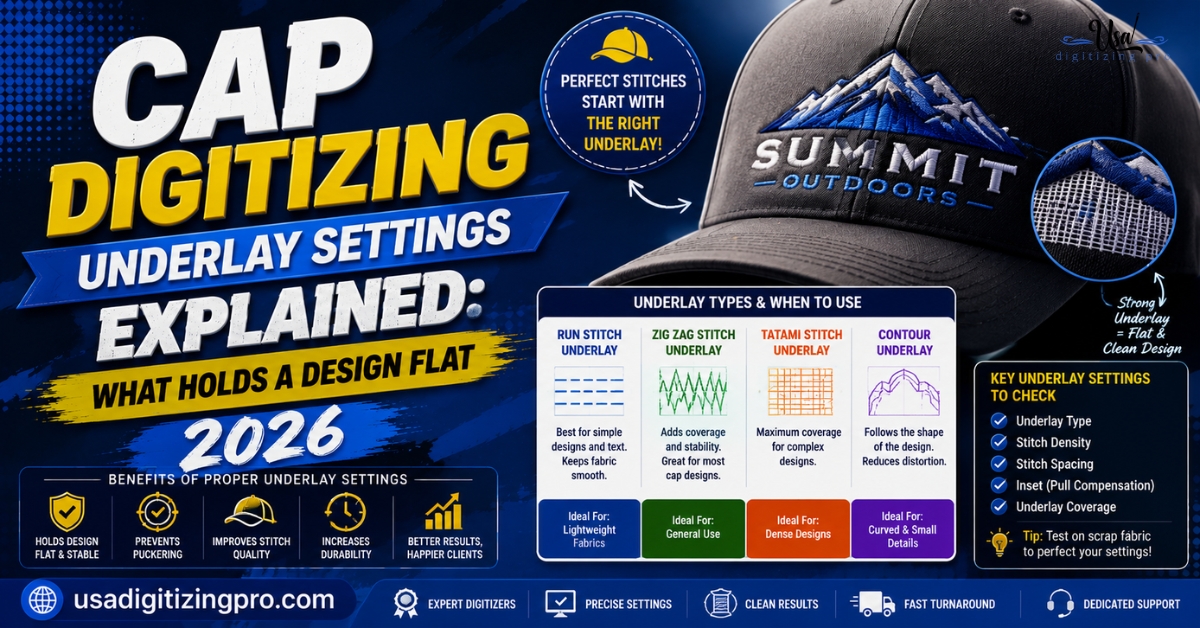
Cap Digitizing Underlay Settings Explained: What Holds a.
A cap logo that puckers, sinks, or shifts after stitching almost never fails because of the machine. It fails because the underlay.